
Visual annotation for AI
Show AI exactly what you mean.
Mark the exact area. Add your instructions. Send it to AI. Scrubble is a Chrome extension that places annotated images and matching notes into the AI composer when you press Done. Review them, then press Send yourself. Scrubble does not send messages automatically.
Works with ChatGPT, Claude, Google Gemini, Grok.com, Perplexity and Lovable, plus Grok inside X in its expanded/full-page experience only.
10 free Scrubbles every month. Paid plans available.
See how Scrubble works in 10 seconds
This 10-second demo shows how Scrubble works: mark regions of an image, add a numbered instruction to each one, then return the annotated image and instructions to ChatGPT.
How it works
STEP 1
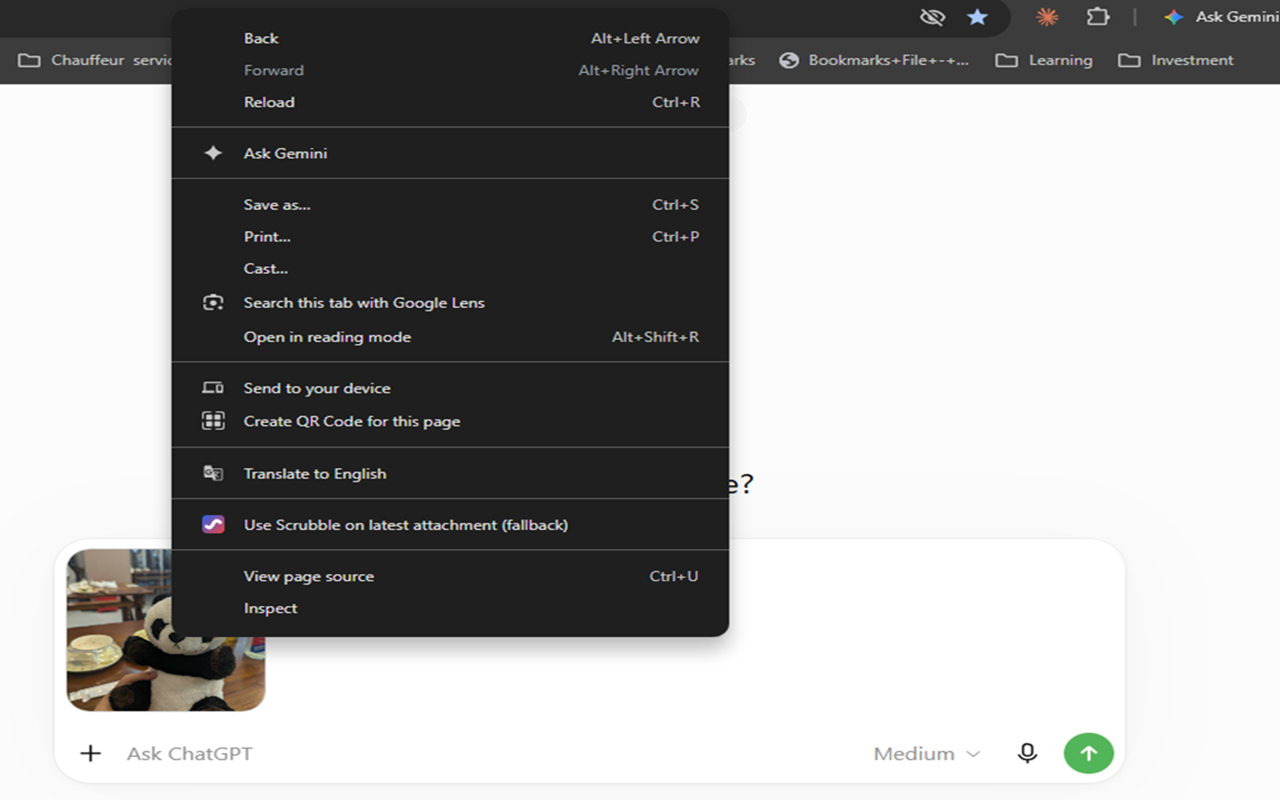
Open Scrubble
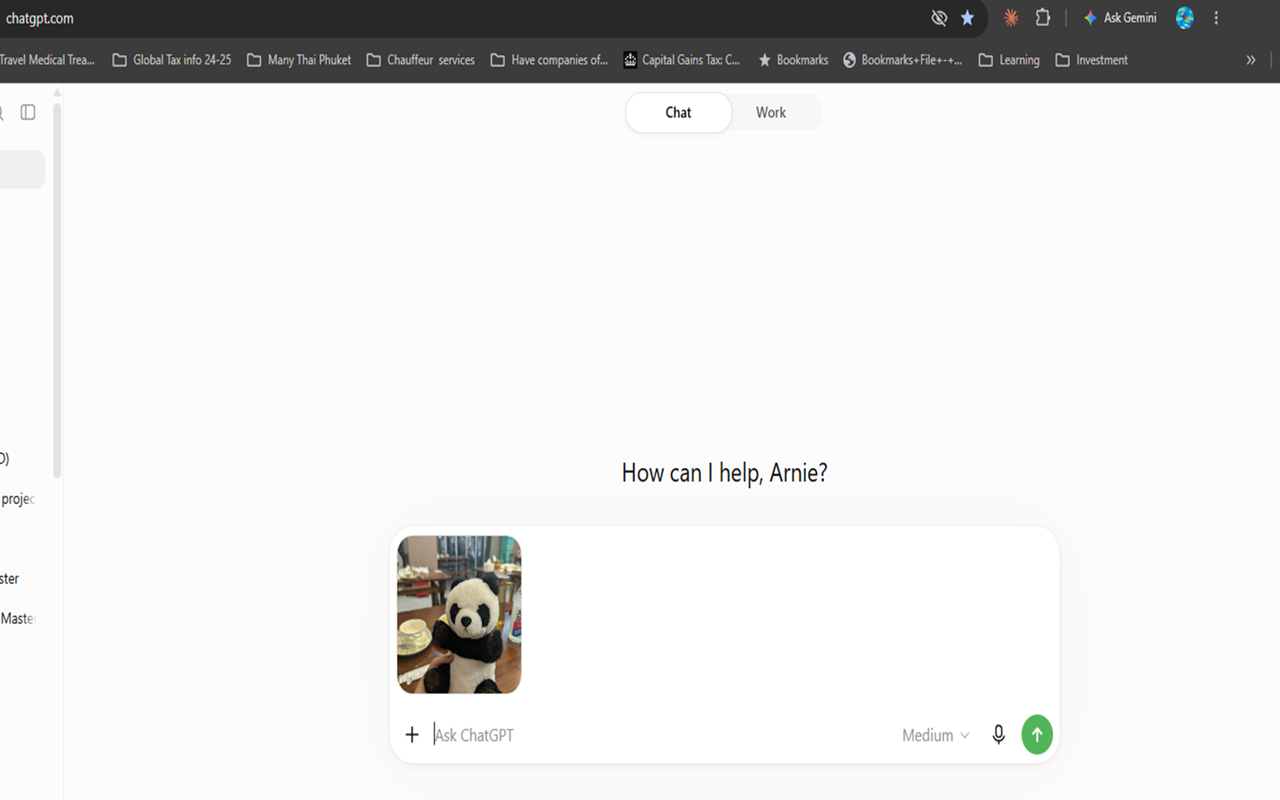
Right-click an image in your AI chat.
STEP 2
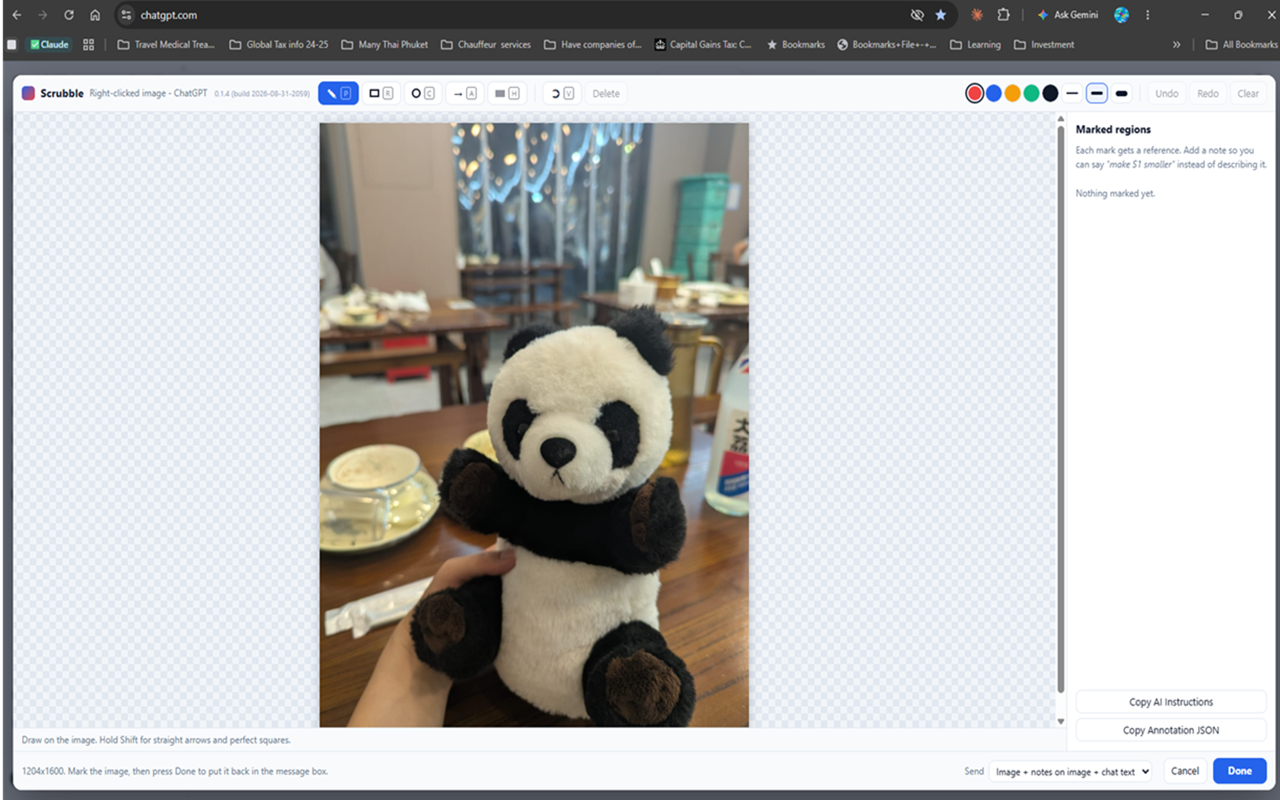
Mark the area
Arrow, box, circle, freehand or highlight.
STEP 3
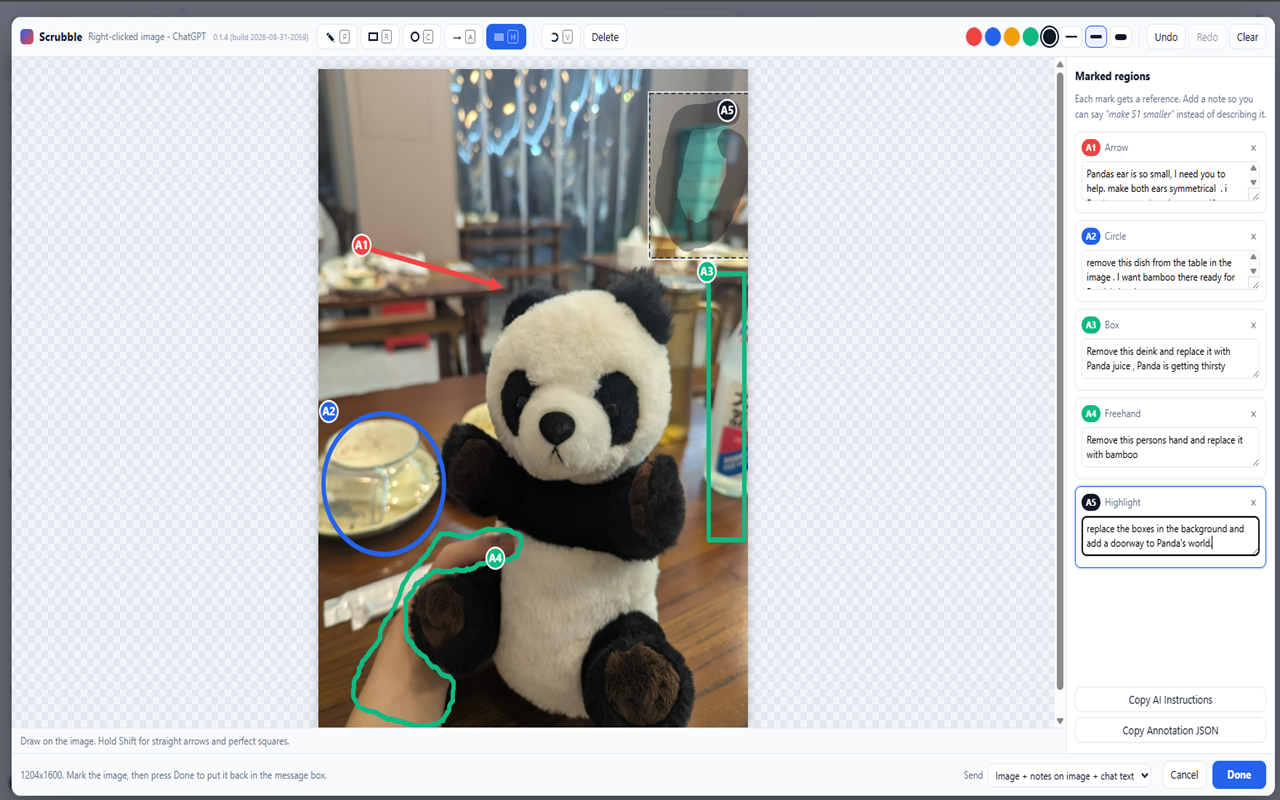
Add your note
Each mark gets a short, clear note.
STEP 4
Done — review, then send
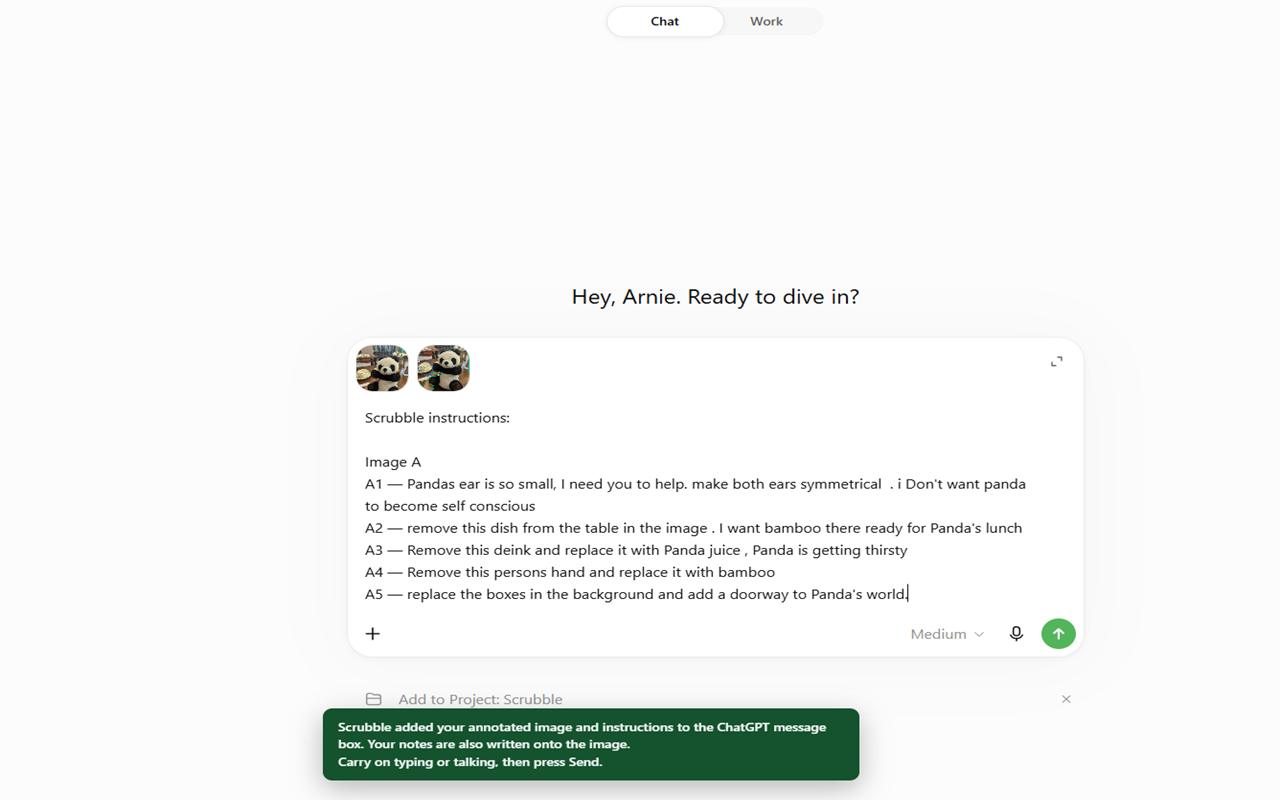
Images and matching notes go into the AI composer. Review them, then press Send yourself.
Scrubble in action
Who it's for
Built for anyone who needs AI to understand exactly which part of an image they mean.
Precise AI image-editing instructions
Mark the exact part of an image to change, replace or remove, and attach a note, so ChatGPT, Claude, Gemini or Grok knows which area you mean. Scrubble does not edit or generate images; your AI assistant does.
Screenshot feedback for AI app-building
Point Lovable, Claude or ChatGPT to the exact button, spacing issue or broken layout on a screenshot, with a numbered note for each fix.
Design and mockup reviews
Annotate mockups, wireframes and UI designs so each piece of feedback stays attached to the element it refers to.
Numbered notes: A1, A2, A3
Each mark gets its own numbered instruction, so multi-part requests stay clear and organised in the AI composer.
Also useful for
- Vibe coders
- Office workers
- Students
- Engineers
- Creators
- Anyone working visually with AI
Scrubble is growing
Scrubble currently works with ChatGPT, Claude, Google Gemini, Grok.com, Perplexity and Lovable, plus Grok inside X in its expanded/full-page experience only. Supported interfaces and features vary by platform.
In Development — Scrubble MCP Integration
We're building an MCP integration so AI tools can open the same Scrubble annotation surface and receive the marked image with structured instructions. An early prototype is being tested. It is not part of the Chrome extension and is not publicly available yet.
Frequently asked questions
What is Scrubble?
Scrubble is a Chrome extension for marking up images and screenshots in ChatGPT, Claude, Google Gemini, Grok.com, Perplexity and Lovable, plus Grok inside X in its expanded/full-page experience only. You mark exact areas and add a numbered note to each. Done places images and matching notes into the AI composer for your review before you press Send. Scrubble does not send messages automatically.
How do I annotate an image for ChatGPT?
Right-click an image in your ChatGPT conversation and choose "Use Scrubble on this image". Mark the areas you mean, add a note to each, then press Done. Scrubble puts the annotated image and your numbered instructions into the message box so you can review them and press Send. New to marking images for AI? Read our guide: How to show AI exactly which part of an image you mean.
Can I use Scrubble with Claude?
Yes. Scrubble supports Claude at claude.ai. Supported platforms are ChatGPT, Claude, Google Gemini, Grok.com, Perplexity and Lovable, plus Grok inside X in its expanded/full-page experience only. Support does not cover every interface or feature. On Google Gemini, the hover badge may be inconsistent, but right-click works.
Is Scrubble free?
You get 10 free Scrubbles every month. Paid plans are available — see Billing & Refunds for details.
Does Scrubble edit images itself?
No. Scrubble adds visual marks and numbered notes to show the AI exactly what you mean. Any image editing, analysis or reply is done by your AI assistant, not by Scrubble.